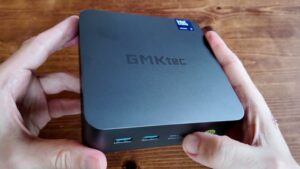
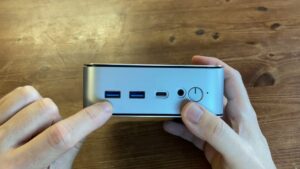
The ACEMAGIC TANK03 has a very specific appeal: gaming-PC hardware squeezed into a box you can move without first notifying the council. Our unit is the Tank 03 with RTX 3070 graphics, and the big question is simple. Can you actually maintain it, or has the upgrade path been hidden behind tiny screws and a small act of engineering theatre?
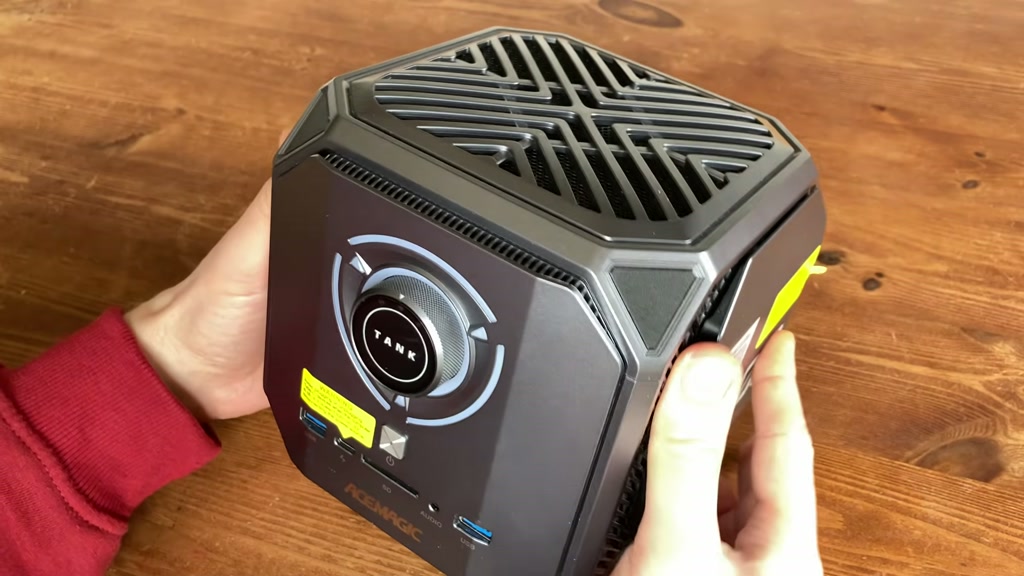
The short answer is yes, but with conditions. RAM, SSD, and Wi-Fi upgrades are sensible owner jobs. CPU and GPU repasting are possible too, but this is not a quick lid-off-and-done machine. It is more of a polite mechanical argument, with several subclauses and one ribbon cable waiting to make things personal.
Quick Verdict
The TANK03 is worth opening if you already own one, want to clean it properly, or need more storage, RAM, or wireless performance. It is also a useful reminder that “mini PC” can mean anything from “tiny office box” to “compressed gaming desktop with a fondness for hidden fasteners”.
Buy it or keep it if you want compact gaming power and upgrade access matters to you. Avoid it if you want silent simplicity, warranty-safe tinkering, or the sort of maintenance experience where every screw is visible and nobody has to whisper “where did that cable go?”
Specs And Variants
| Area | Our notes |
|---|---|
| Product family | ACEMAGIC Tank 03 / TANK03 |
| Our graphics | RTX 3070 variant |
| Platform | Intel-based Tank 03 family |
| Memory | DDR5 SODIMM, our unit had 2x Kingston DDR5-4800 |
| Storage | Two accessible M.2 NVMe slots |
| Wireless | Replaceable M.2 Wi-Fi card, upgraded in our unit to Intel BE200 Wi-Fi 7 |
| Cooling | Separate CPU and GPU service paths |
| Difficulty | Easy for side upgrades, fiddly for full repaste |
There are several Tank 03 versions sold under related branding, with different CPUs and RTX graphics options. Treat the teardown as broadly shared across the family, but check your exact spec before buying parts. The model-name department has clearly been paid by the fog machine.
The Easy Upgrades
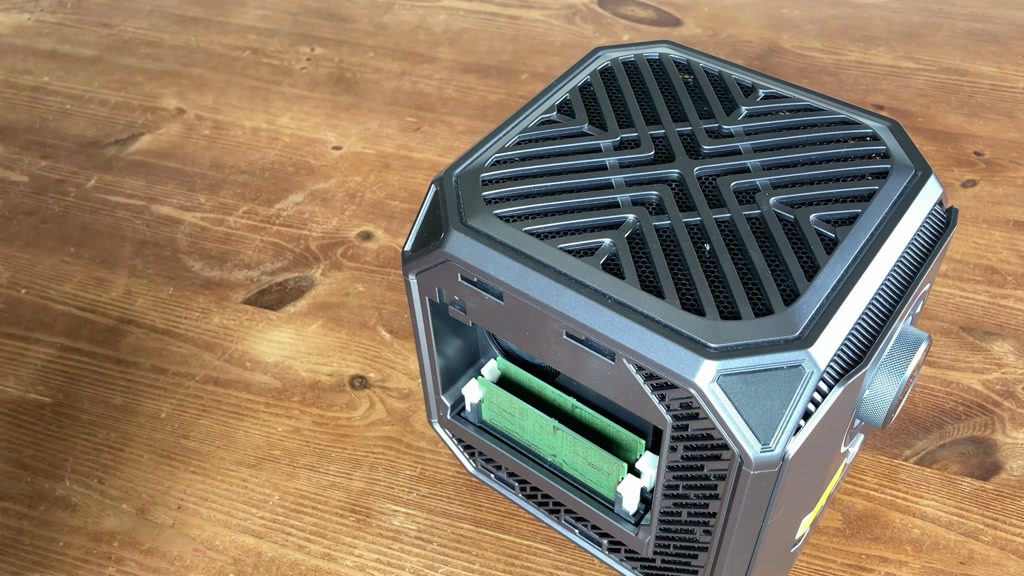
The left side panel gives you RAM access. Our unit had two Kingston DDR5-4800 sticks. Faster DDR5 may run, but the sensible ceiling for this platform is 4800 MT/s, so do not pay extra for speed the machine will politely ignore. Let the wallet speak. It is often the only adult in the room.
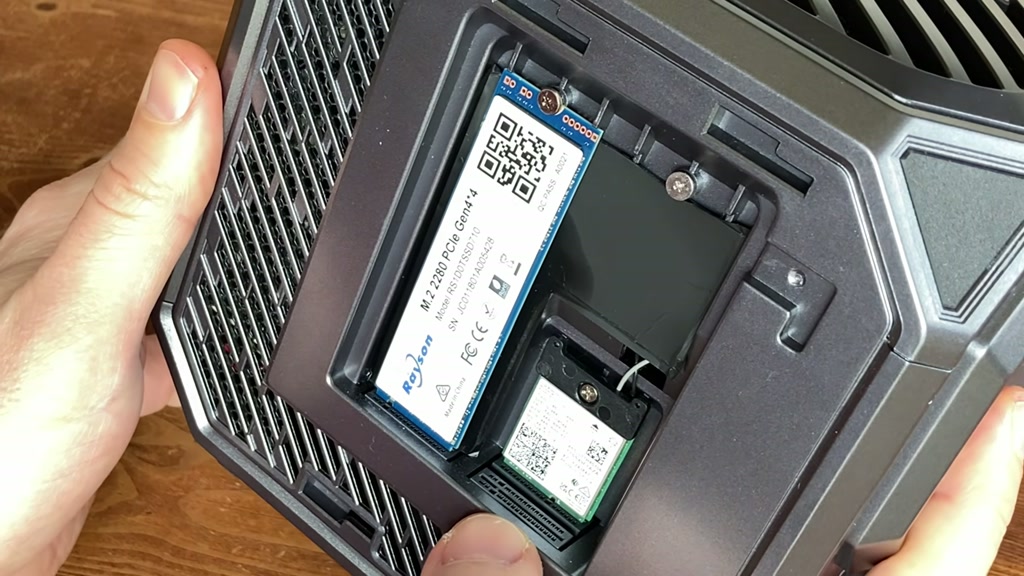
The other side gives you storage and Wi-Fi. There are two M.2 slots, and NVMe upgrades are straightforward once the panel is open. Gen 4 support is nice, but a cheaper Gen 3 drive still makes sense for many uses. If the price gap is silly, buy capacity before benchmark bragging rights.
The Wi-Fi card is replaceable too. We used an Intel BE200 for Wi-Fi 7 in this Intel machine and had a clean result. The antenna leads are the delicate part, so do not yank them around like you are starting a lawnmower. For AMD Ryzen machines, we would use a compatible MediaTek Wi-Fi 7 card instead.
Opening The Main Case
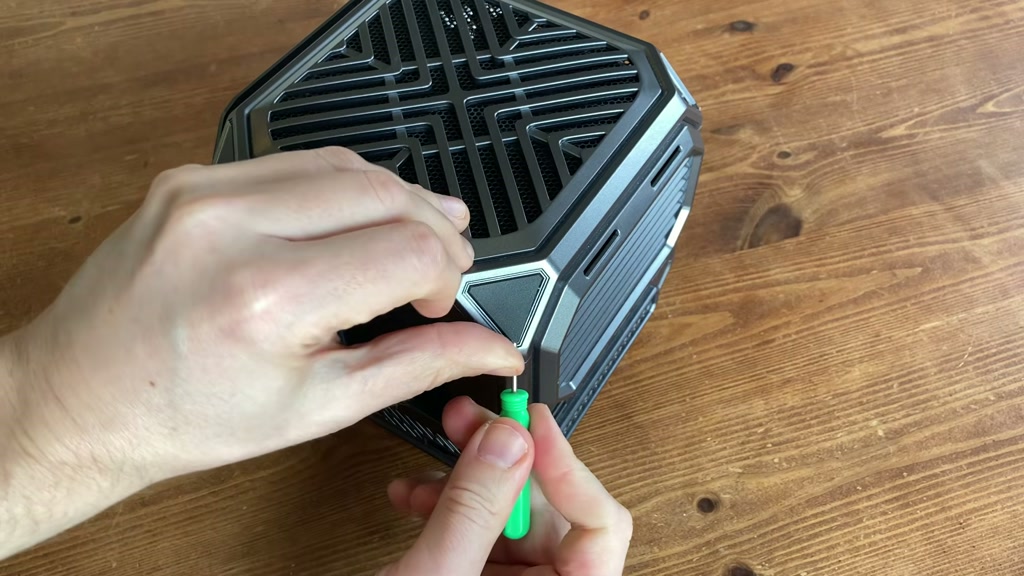
The main case is where the TANK03 starts playing silly games. At first glance there are no screws. Naturally, this means there are screws, but they have entered witness protection under small corner covers. Use a small flathead carefully, keep the case scratch-free if you can, then remove the exposed screws.
After the top comes off, watch the Wi-Fi antenna and the front-panel wiring. You then remove the 5 mm hex standoffs, side pieces, and small boards as needed. One rear standoff is shorter, so keep the screws grouped and labelled. Future-you will thank present-you, possibly with less swearing.
Getting To The Cooling
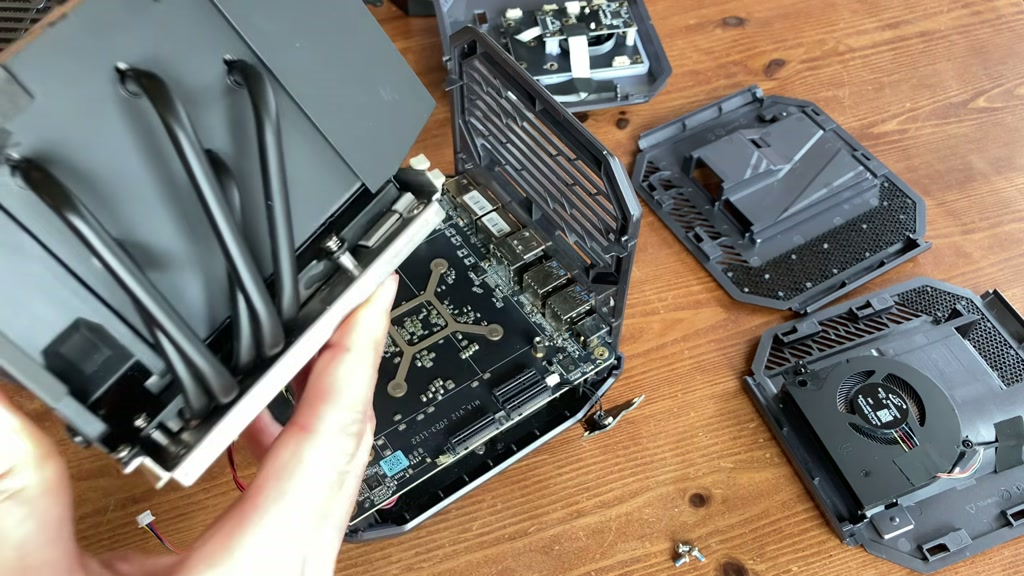
The larger heatsink and fan assembly covers the RTX graphics side. It looks reassuringly serious for a compact machine, and that matters because mobile RTX performance depends heavily on power limits and cooling. A big GPU name in a small box is not magic. It is a heat negotiation with RGB lighting.
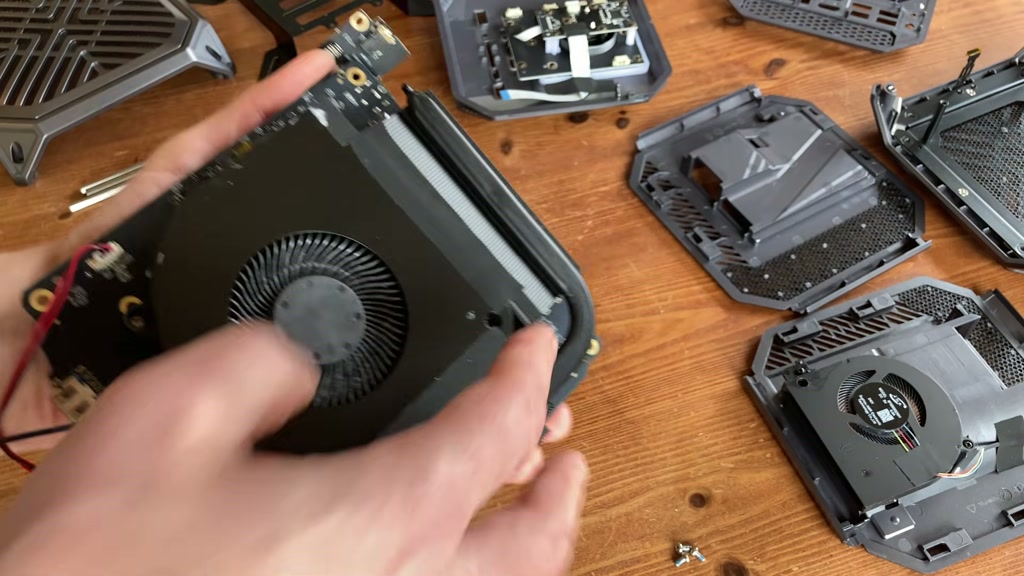
The CPU side takes more patience. Our fan had picked up normal dust from regular use, and the heatsink is held in with small screws plus tape that helps cooling. Warm the tape gently if it fights you. Do not force the heatsink away from thermal pads or small components underneath.
Work on a clear, static-aware surface, unplug everything, and keep fabric out of the job if possible. Cushions are comfortable, yes. They are also where static safety goes to write a resignation letter.
Repasting The CPU And GPU
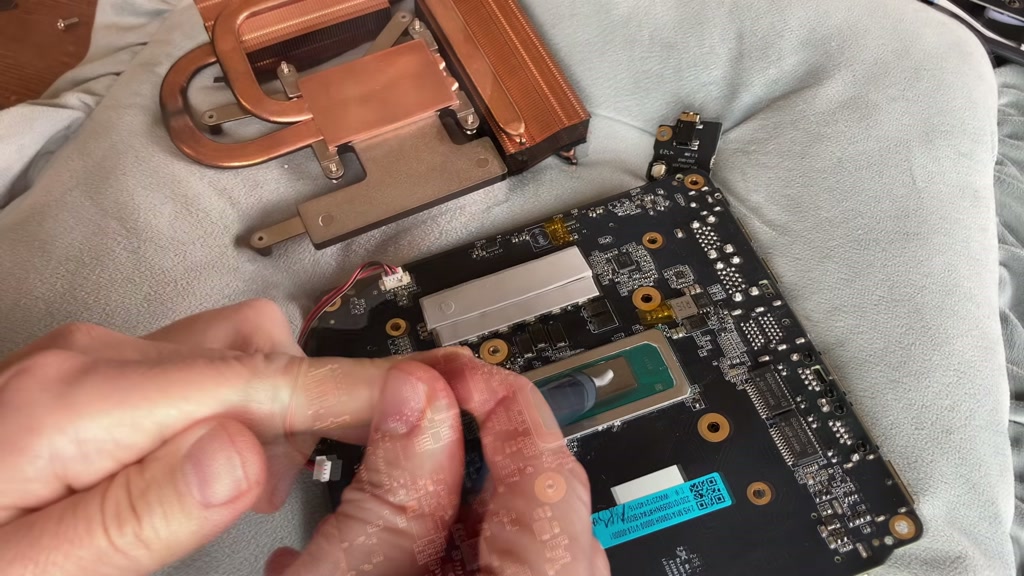
For the CPU, clean away the old paste with suitable alcohol wipes, let everything dry, then apply fresh paste. We used MX-7. PTM7950 can make sense for long-term maintenance, especially where you do not want to reopen a cramped machine often, but in our testing MX-7 was the better fit here.
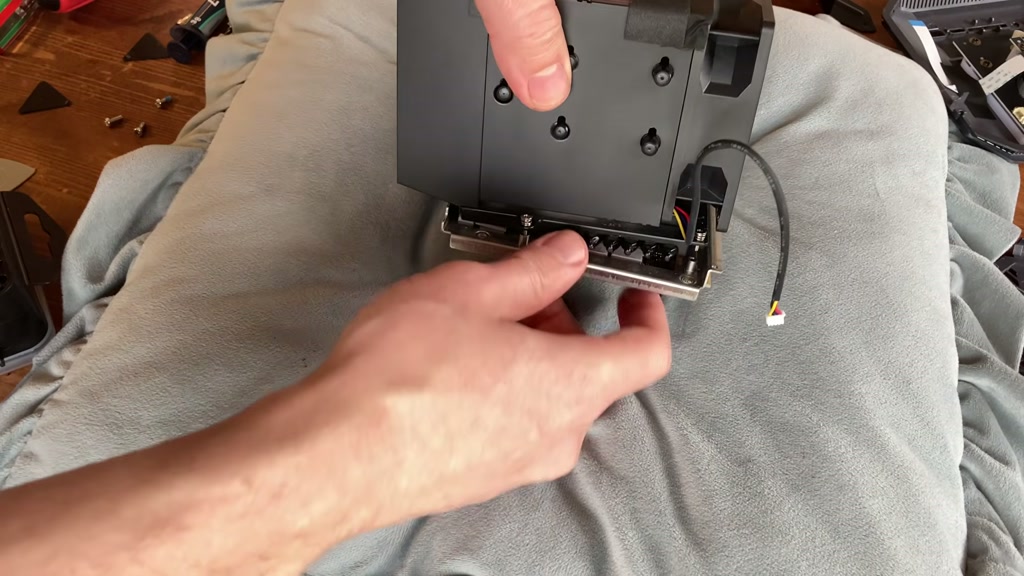
The GPU can be serviced too, although access is more awkward. Remove the fan screws, steel mount, and heatsink screws until the GPU side opens up. You can replace paste or pads if needed, but we did not see a stock disaster demanding immediate surgery. That is good. Boring is underrated when expensive silicon is involved.
What We Would Upgrade First
Start with storage if you are running out of space. Then consider RAM if your workload actually needs it. Wi-Fi 7 is worthwhile if your network supports it, but it will not turn a poor router into a fibre-fed Shinkansen. The train still needs tracks.
We would repaste only if temperatures, dust, age, or curiosity justify it. This machine can be maintained, but the deep teardown is a proper job, not a casual Sunday poke-about.
Pros And Cons
Pros
- RAM, storage, and Wi-Fi are accessible from side panels.
- Two M.2 slots make storage upgrades practical.
- Replaceable Wi-Fi module is welcome.
- CPU and GPU cooling can be cleaned and repasted.
- Compact RTX gaming hardware still has real appeal.
Cons
- Full teardown is fiddly.
- Hidden screws and mixed fasteners slow the job down.
- Wi-Fi antenna and ribbon/front-panel cables need care.
- CPU access is less friendly than the side upgrades.
- Specs vary between Tank 03 versions, so part-buying needs attention.
Reader FAQ
Can I upgrade the RAM in the ACEMAGIC TANK03?
Yes. Use DDR5 SODIMM memory. On our platform, DDR5-4800 is the sensible target because faster kits are likely to downclock.
Does the TANK03 support extra SSD storage?
Yes. Our unit has two M.2 NVMe slots behind the storage-side panel. Gen 4 drives are supported by spec, but Gen 3 can still be a good buy if it is cheaper.
Is Wi-Fi 7 worth adding?
It can be, if your router and network support it. We used an Intel BE200 in our Intel-based unit. Check compatibility before buying a card.
Should I use MX-7 or PTM7950?
We used MX-7 because it performed best for us here. PTM7950 is still a sensible long-life option if you want to reduce future repaste work.
Is this teardown safe for beginners?
The side upgrades are beginner-friendly with care. The full CPU and GPU repaste is better for patient users who can track screws, cables, pads, and fragile antenna leads.
Final Verdict
The ACEMAGIC TANK03 is a compact gaming PC that can be maintained properly, but it makes you earn the deeper access. The side upgrades are refreshingly practical. The full repaste is more involved, with hidden screws, standoffs, cables, tape, and enough tiny parts to form a committee.
Our advice is simple. If you own one, keep it clean, upgrade storage and RAM sensibly, and only dive into the CPU/GPU paste when there is a reason. If you are buying one used, check the exact GPU/CPU variant, check the price against newer mini PCs, and make sure you are comfortable with maintenance that occasionally says “aha” in a locked filing cabinet.
Where To Buy
Use these links to check current pricing:
We may earn a small commission if you buy through our links. It helps keep the lights on, and occasionally the kettle.