The GMKtec K17 offers a tempting little fantasy: proper everyday PC performance, modern Intel Arc graphics and near silence from a metal box that’s four tea bags big. Lovely. But does the fantasy survive games, emulation, a screwdriver and the solemn bureaucratic ceremony known as Windows setup?
It does, mostly. The K17 is one of the quietest mini PCs we have tested, its Arc 130V graphics are genuinely capable at 1080p, and the case feels much better than its plain office styling suggests. Fixed 16GB memory and modest multi-core performance keep the bunting in the cupboard.
Quick verdict
The K17 is a strong family, office, media and emulation PC for anyone who values silence. It handles ordinary work effortlessly and plays a surprising range of games at sensible settings. It is less convincing for heavy rendering, large creative projects or buyers who expect to add RAM later, because the 16GB LPDDR5X is part of the processor package and stays there until the stars go out.
Pros
- Exceptionally quiet, even while gaming
- Fast Arc 130V integrated graphics
- Solid metal case and plentiful USB ports
- Two M.2 storage slots and easy maintenance
- Low temperatures and sensible power use
Cons
- 16GB memory is fixed and cannot be upgraded
- Eight CPU threads limit heavy multi-core work
- Below-average 5GHz Wi-Fi strength in our test
- No OCuLink, and only one USB4 port
- Storage and Wi-Fi area lacks active cooling
Specifications
| Component | GMKtec K17 |
|---|---|
| CPU | Intel Core Ultra 5 226V, 8 cores and 8 threads, up to 4.5GHz |
| GPU | Intel Arc 130V |
| Memory | 16GB LPDDR5X-8533, fixed |
| Storage | 512GB PCIe 4.0 NVMe tested; two M.2 2280 slots |
| Networking | 2.5GbE, Wi-Fi 6E, Bluetooth |
| Display outputs | Two HDMI plus DisplayPort over USB4 |
| Front I/O | Two USB-A, USB4 Type-C, 3.5mm audio |
| Rear I/O | Four USB-A, two HDMI, 2.5GbE, DC input |
| Power supply | 100W |
| OS | Windows 11 Pro |
Design and ports
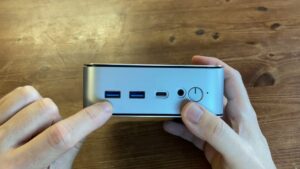
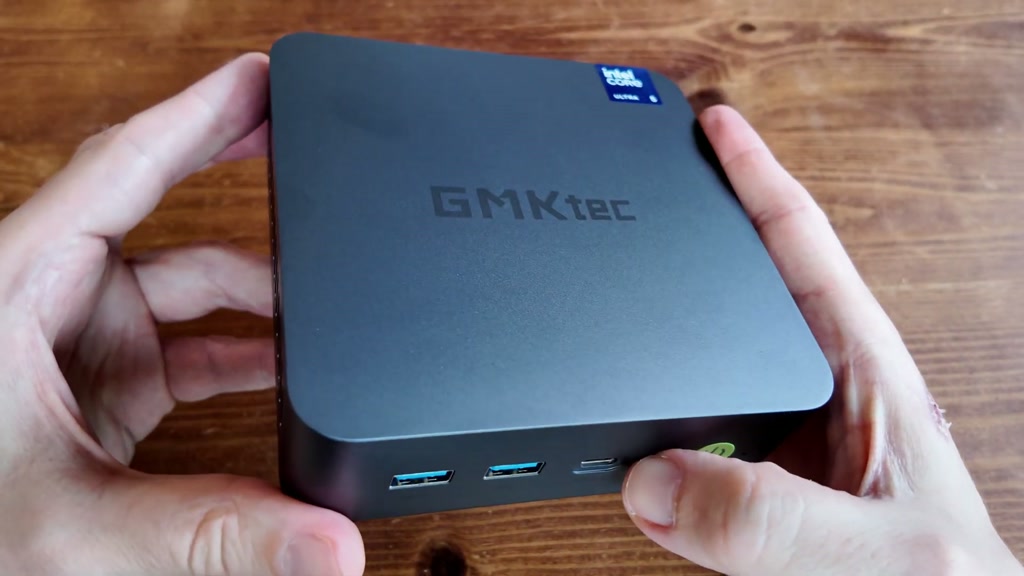
The grey metal shell is clean, solid and office-friendly. It will not make the finance department gasp, but neither will it resemble a router designed by a caffeinated spider. At roughly 127mm square and 44.5mm tall, it is easy to hide behind a monitor with the included VESA bracket.
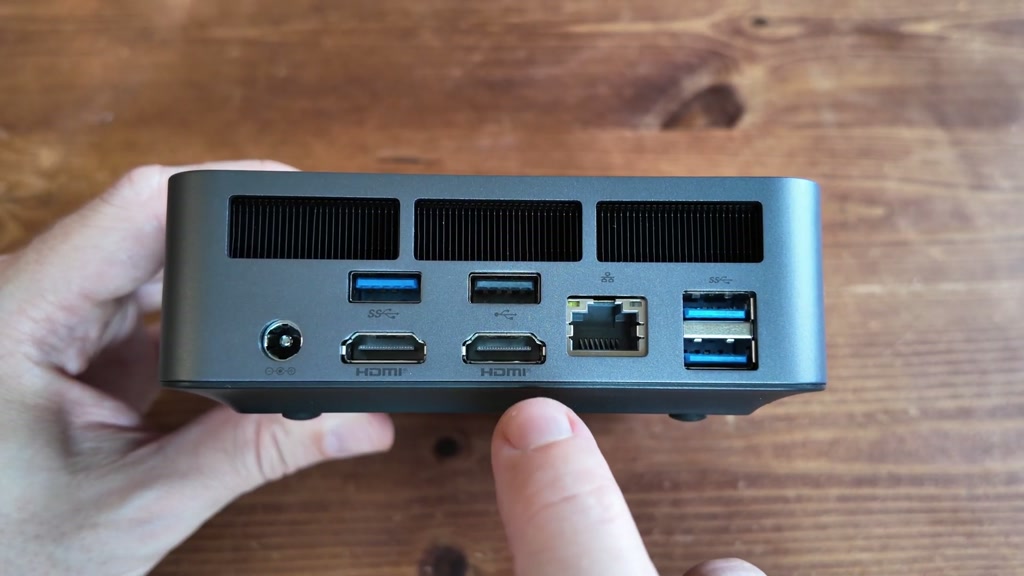
The front has 10Gbps and 5Gbps USB-A ports, a full 40Gbps USB4 Type-C port, audio and power controls. The rear adds four USB-A ports, 2.5GbE and two HDMI outputs. One HDMI connection supports the full 8K60 FRL mode; the other tops out at 4K60. USB4 can also drive a display or connect an eGPU.
There is no OCuLink. Is this a civic emergency? No. But keen eGPU users should note that USB4 adds more overhead, and the sole Type-C socket lives at the front where its cable can stand proudly across the desk like a tiny tripwire.
Setup and everyday use
Our 16GB/512GB unit arrived with Windows 11 Pro. Initial setup took about five minutes, malware scans came back clean, and Intel’s current drivers installed normally. Browsing, office work, 4K streaming, 2D art and music production all felt quick.
Quick Sync helps with light video editing, but eight CPU threads and 16GB memory set a firm ceiling. Short projects are fine. Large edits, many audio plugins and serious rendering work will eventually make the K17 clear its throat and point towards a larger computer.
The BIOS provides 20W, 25W and 35W profiles, fan controls, power limits, C-states and Secure Boot options. Batocera 43 also booted correctly, with Wi-Fi and Bluetooth working. That makes the K17 a pleasingly straightforward emulation box rather than a weekend-long driver séance.
CPU and graphics performance
Lunar Lake gives the K17 fast single-core response and excellent efficiency. Multi-core results are less exciting because the Core Ultra 5 226V has eight cores but only eight threads. Marketing departments may count every core with a jeweller’s loupe; rendering software remains unmoved.
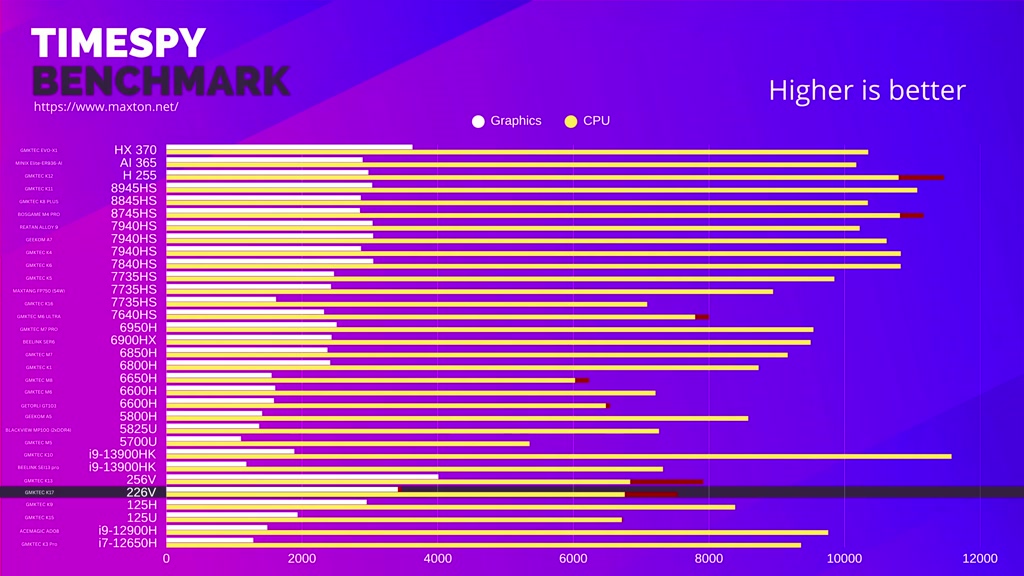
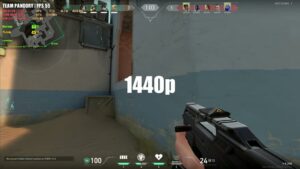
The Arc 130V is the happier surprise. Cuphead and Streets of Rage 4 ran at 4K full speed, while Dave the Diver was best at 1080p and reached roughly 45fps at 1440p. Rocket League exceeded 100fps at 1080p High. Fortnite was very playable using its performance renderer, and Counter-Strike 2 held around 60fps at 1080p High.
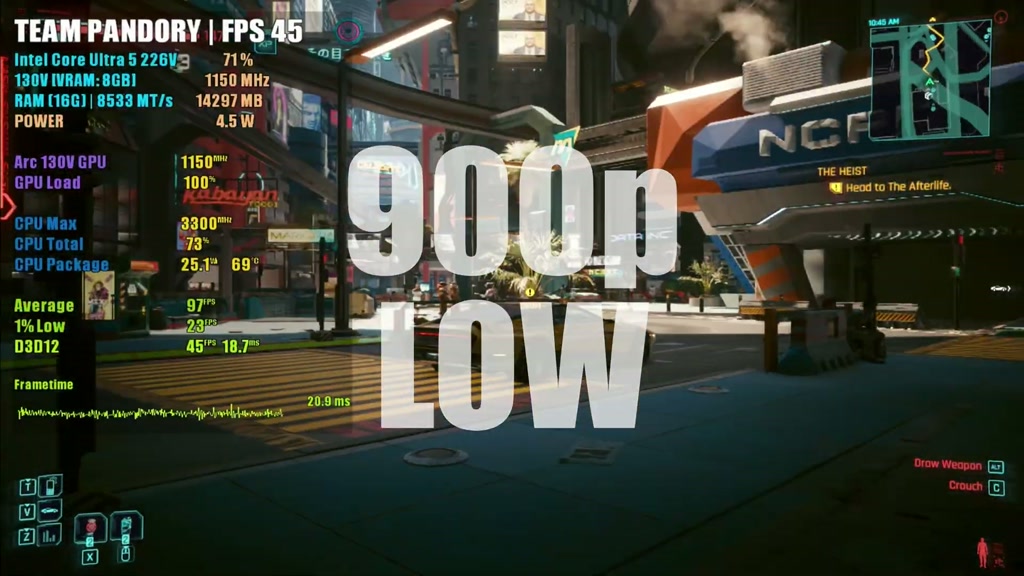
Cyberpunk 2077 was playable at 1080p with low settings and XeSS. That is impressive for integrated graphics, but let us keep both feet on the carpet: demanding new games still need reduced detail and upscaling.
Emulation
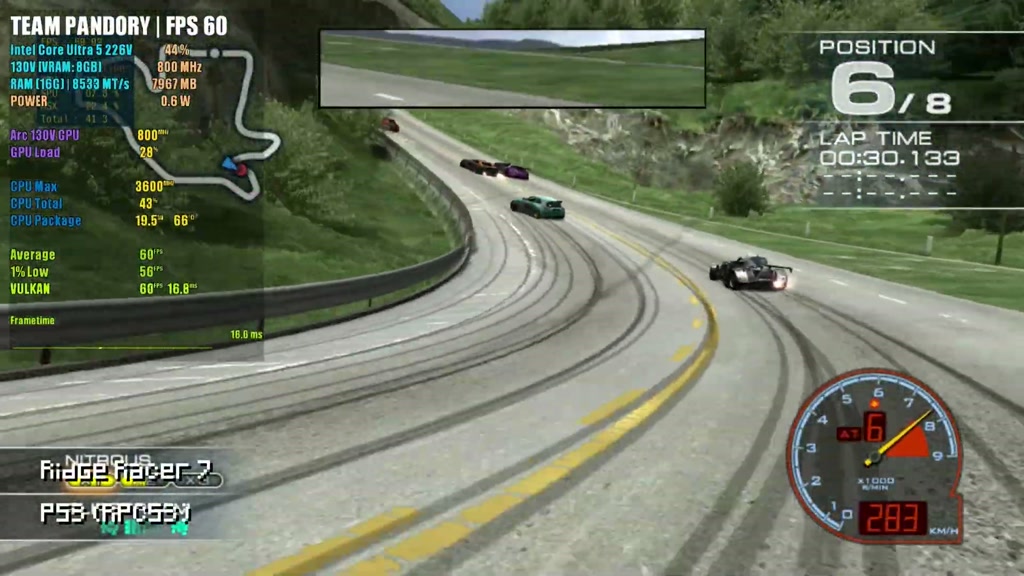
Older systems through Amiga, Saturn and Sega Model 2 were easy work. God of War II ran well through PlayStation 2 emulation at 1080p and even 4K with occasional dips. Wii U was generally full speed apart from shader-compilation stutters, while Ridge Racer 7 ran at full speed through PlayStation 3 emulation.
That breadth matters more than one triumphant benchmark. Plug in a controller, boot Batocera and it behaves like the compact living-room machine it ought to be. Bloop. Thousands of old games have just acquired a very small landlord.
Noise, temperatures and power
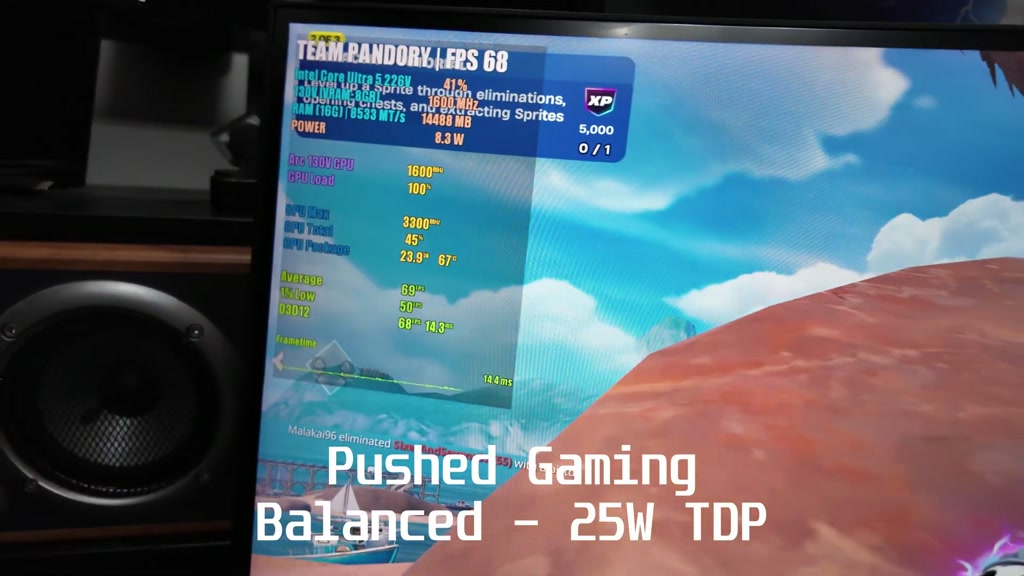
This is where the K17 wins. We measured about 45C at idle and 11 to 12W from the wall, with the system effectively silent. During normal gaming it stayed below 70C, drew about 41W and remained remarkably quiet. Even the performance profile changed little acoustically.
Those are excellent results. Many mini PCs announce a benchmark by impersonating a distant hairdryer. The K17 simply gets on with it, which makes it especially attractive for bedrooms, studios and shared workspaces.
Inside and upgradeability
Four screws release the plastic bottom plate, exposing both M.2 slots and the replaceable RZ616 Wi-Fi 6E module. Our 512GB SSD used a Phison E27T controller and occupied the main PCIe 5×4 slot; the second slot supports PCIe 4 drives, albeit 4×2.
The main board lifts out cleanly, and reaching the cooler is straightforward. Repasting ours barely changed temperatures, so there is no need to attack a new machine with thermal compound and the confidence of a Victorian surgeon. Take care with the antenna leads attached to the bottom panel when opening it.
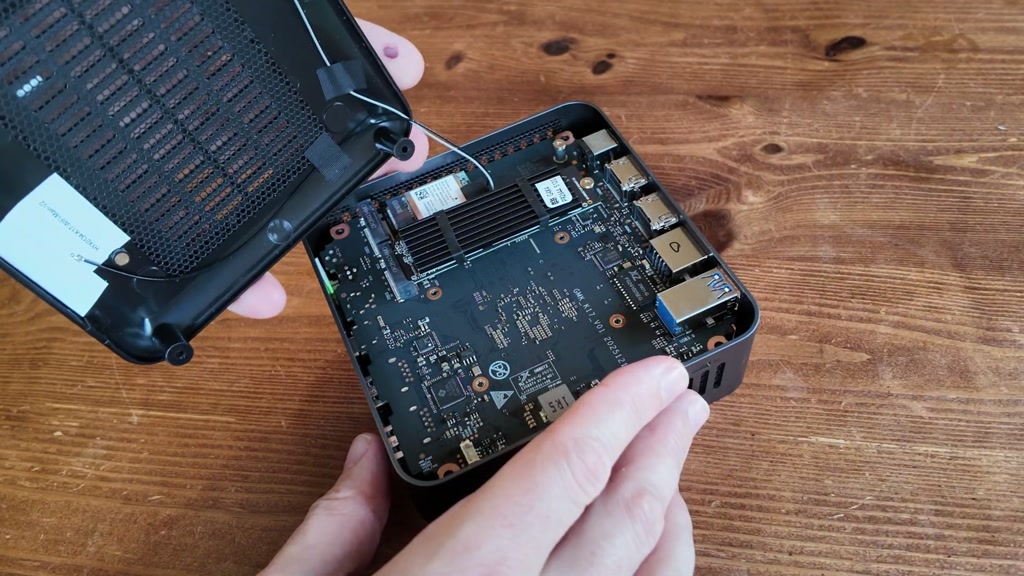
Memory is the non-negotiable part. The fast LPDDR5X-8533 sits in the processor package, so 16GB is both the starting point and the ending point. Storage and Wi-Fi can change; RAM cannot.
Verdict
The GMKtec K17 is an excellent quiet general-purpose mini PC. Buy it for family computing, office work, media, emulation, light creative jobs and 1080p gaming with realistic settings. Its metal build, low noise and Arc graphics give it character beyond the grey-box appearance.
Avoid it if you need more than 16GB memory, strong multi-core rendering or OCuLink. Gamers with a larger budget should also consider our GMKtec K13 coverage, because that machine feels faster in daily use despite a less dramatic benchmark gap.
At around $559 for the tested 16GB/512GB configuration, the K17 balances speed, efficiency and silence very well. It is not the fastest mini PC. It may be the one least likely to irritate everyone else in the room, and that is a performance metric civilisation has neglected for too long.
FAQ
Can the GMKtec K17 memory be upgraded?
No. Its 16GB LPDDR5X memory is integrated with the processor package. You can add or replace storage, but not RAM.
Is the K17 good for gaming?
Yes, within reason. Indie and esports games run well, while demanding games generally need 720p- 1080p, low settings and upscaling.
Does Linux work on the K17?
Batocera 43 worked in our test, including Wi-Fi and Bluetooth. Linux support can vary by distribution and kernel version.
Can it use an external GPU?
Yes, through the 40Gbps USB4 port. There is no OCuLink connection, and the K17 has only one USB4 port.
Where to buy
We may earn a small commission if you buy through our links. It helps keep the lights on, and occasionally the kettle.