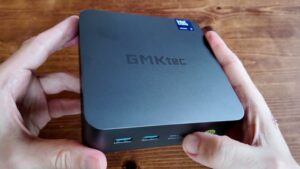
The GMKtec K16 has the shape of a very sensible idea. Take a hand-sized mini PC, give it a nicer case, add USB4, dual 2.5 GbE, OCuLink, 32 GB of memory, and enough storage expansion to avoid immediate sadness. Lovely. Then reality arrives carrying a clipboard, because this is still a Ryzen 7 7735HS machine in 2026.
That does not make it bad. It does make it interesting. In our video, the K16 proved quick for everyday use, good for emulation, genuinely useful with OCuLink, and much too enthusiastic with its fan curve out of the box. The tiny council of thermals convened, stamped three forms, and concluded: good temperatures, questionable shouting.
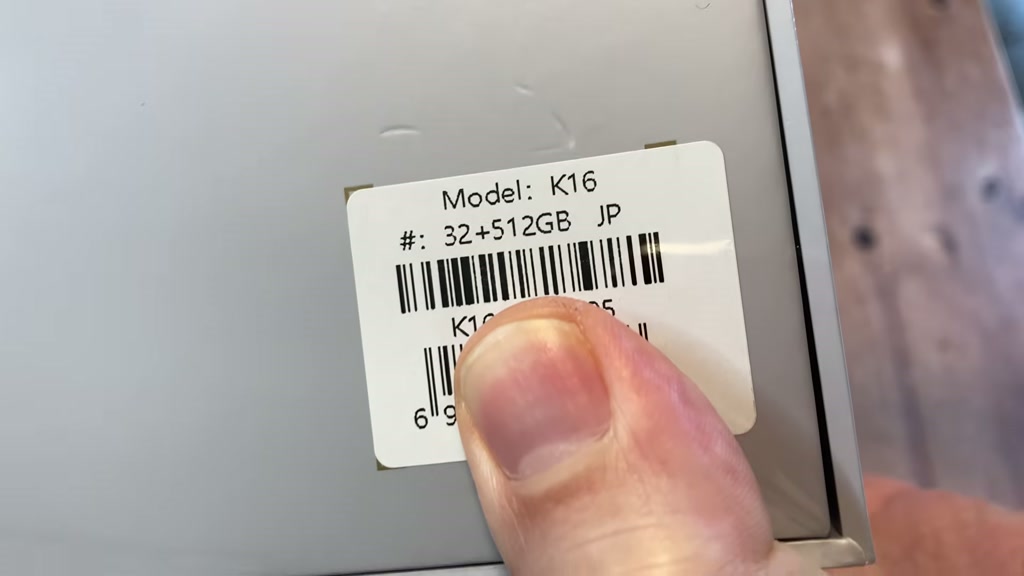
Quick verdict
The K16 is worth considering if you want a compact Windows 11 Pro mini PC with premium build, strong ports, dual LAN, easy storage expansion, and OCuLink for an external GPU. It is less tempting if you want the newest iGPU, silent defaults, or upgradeable RAM.
The blunt version: buy it for ports and OCuLink, not because the Radeon 680M is secretly a 2026 gaming miracle in a waistcoat.
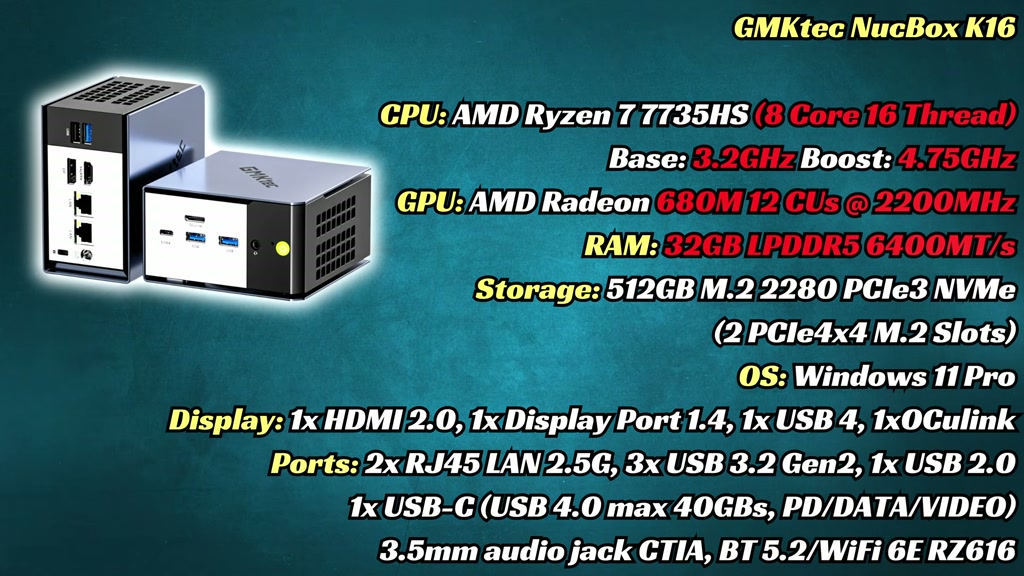
Specifications
| Component | GMKtec K16 tested configuration |
|---|---|
| CPU | AMD Ryzen 7 7735HS, 8 cores / 16 threads |
| Graphics | AMD Radeon 680M integrated graphics |
| Memory | 32 GB LPDDR5, soldered |
| Storage | 512 GB PCIe 3.0 NVMe installed, second M.2 slot available |
| OS | Windows 11 Pro 24H2 |
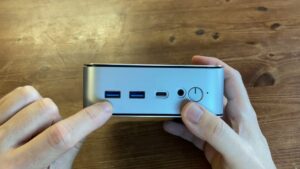
| Front ports | OCuLink, USB4 Type-C, 2 x USB 3.2 Gen 2 Type-A, audio, BIOS reset, power |
| Rear ports | USB 3.2 Gen 2 Type-A, USB 2.0, HDMI 2.0, DisplayPort 1.4, 2 x 2.5 GbE, DC input |
| Wireless | MediaTek RZ616 Wi-Fi module, Bluetooth |
| Power adapter | 120 W |
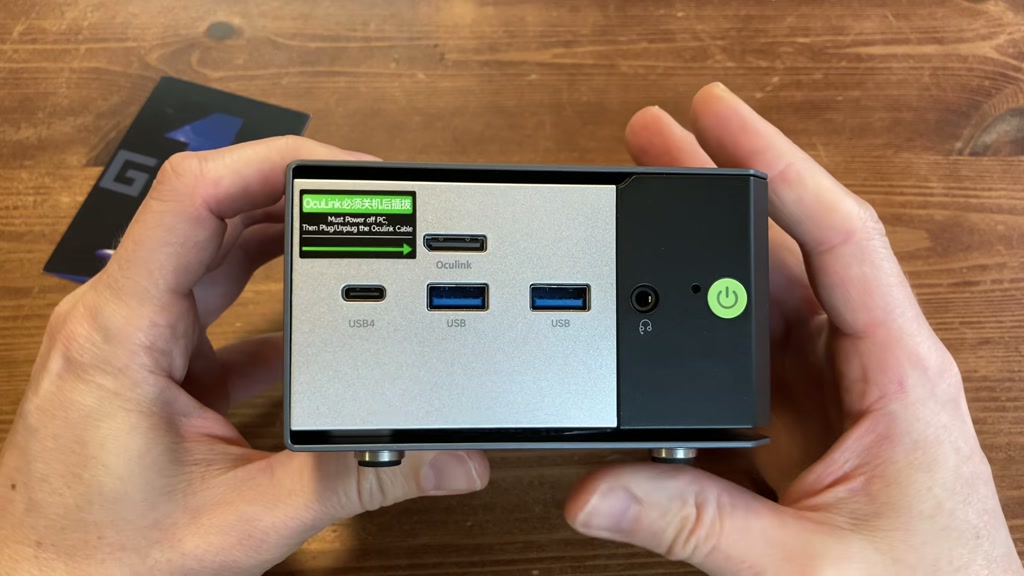
Design and ports
The K16 uses the same general case style as the Evo X1 and M8, with a smart mix of metal and plastic. It looks good on a desk and takes up very little room. If you are replacing a large tower, this is the point where your desk starts looking less like a storage unit with HDMI.
The front ports are the headline. OCuLink, USB4, two fast USB-A ports, audio, reset pinhole, and power are all easy to reach. The back adds HDMI, DisplayPort, dual 2.5 GbE, extra USB, and the power input. It is a strong layout, even if front-facing OCuLink means cable tidiness may quietly leave the room.
Setup, BIOS, and upgrades
Windows 11 Pro setup took about five minutes, and our Defender and Malwarebytes scans came back clean. Everyday browsing, 4K streaming, office work, Krita, Photoshop-style 2D work, and music production all felt smooth.
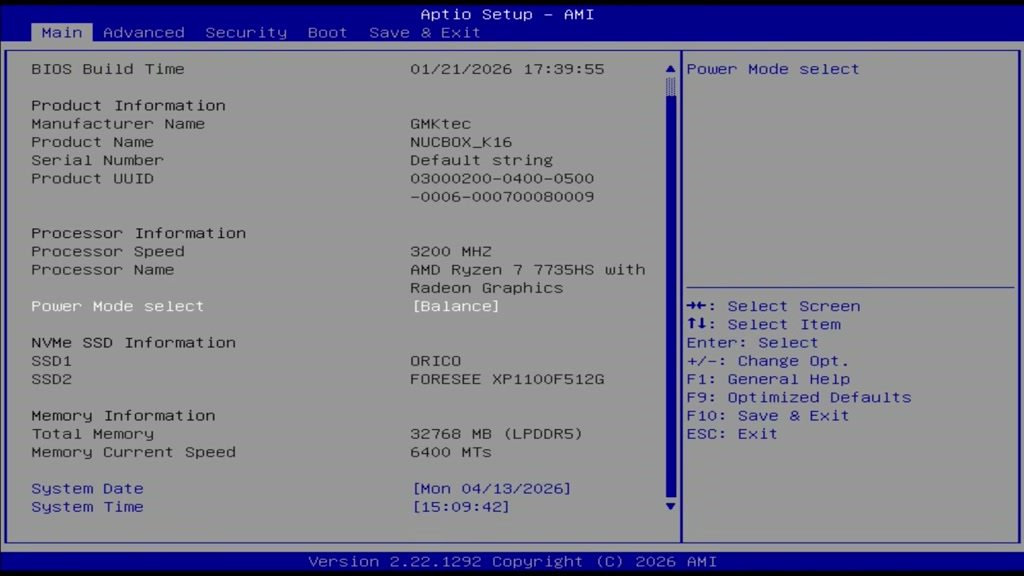
The BIOS gives you the useful bits: 35 W, 45 W, and 50 W power modes, VRAM allocation, Re-size BAR, Secure Boot, and fan settings. It is sparse, but it matters because the default fan curve is a bit much. Think small aircraft, but one that has read the manual and insists this is procedure.
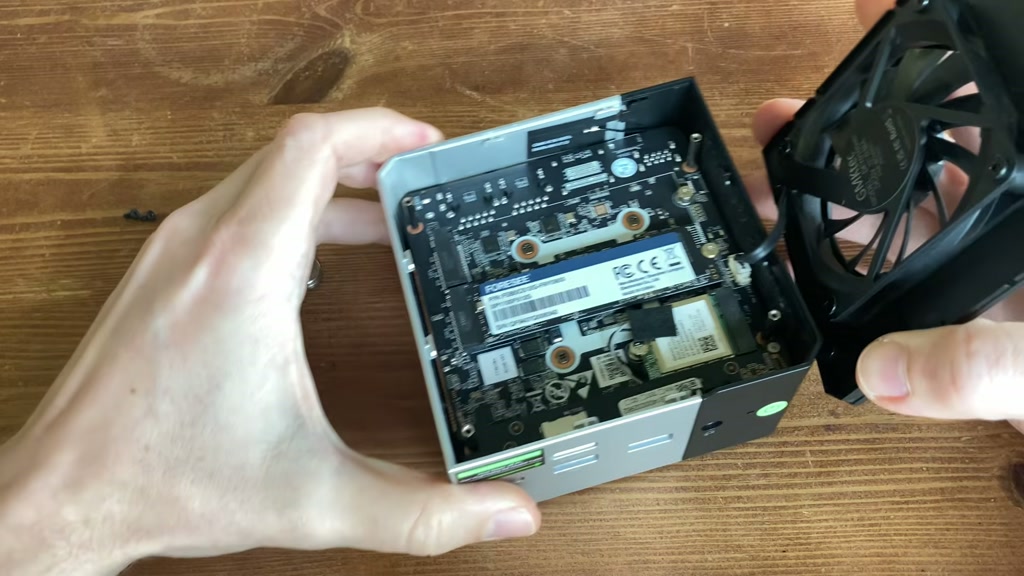
Inside, you can replace the Wi-Fi module and add another NVMe drive. Getting in is possible but fiddly, with several screws and a fan cable waiting to punish impatience. The 32 GB RAM is soldered, so that is your lot. For most people 32 GB is fine, but repair and long-term upgrade fans will make the face. You know the one.
Performance
For normal Windows use, the K16 is quick. The Ryzen 7 7735HS is not new, but 8 cores and 16 threads still handle general work easily. The Radeon 680M also remains useful for light games and emulation, though newer Radeon 780M-class machines can pull ahead.
Benchmarks were mixed. Geekbench did not flatter the K16 compared with older GMKtec machines using similar silicon, but Cinebench looked better under sustained load. The LPDDR5 helps in some longer tests, while short burst performance is not always the strongest.
Video editing is fine at 1080p. At 1440p and 4K, the system starts to struggle. That is not a scandal, it is just physics arriving in a hi-vis jacket.
Gaming and emulation
Lighter games are the right target. Dave the Diver ran at 1080p 60 FPS. Dota 2 could sit around 80 FPS at 1080p fastest, dropping nearer 55 FPS when settings were raised. Fortnite on the performance renderer was playable at 720p and 1080p. Forza Horizon 5 was playable at 1080p low, smoother at 720p high, with dips when things got busy.
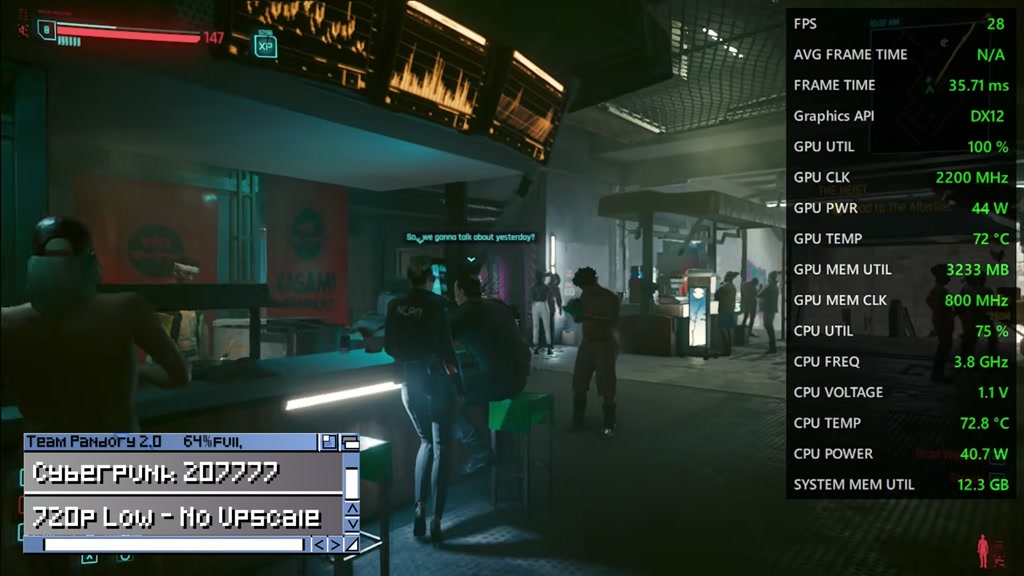
Cyberpunk 2077 is where the Radeon 680M starts coughing politely into a napkin. With FSR, we saw around 36 FPS. Playable-ish, yes. Comfortable modern AAA box, no.
OCuLink changes the story. With the GMKtec AD-GP1 eGPU dock connected, Cyberpunk 2077 reached around 60 FPS at 4K medium with FSR. That is the K16’s strongest trick. If you plan to use an external GPU, OCuLink gives this little PC a second life with considerably larger shoes.
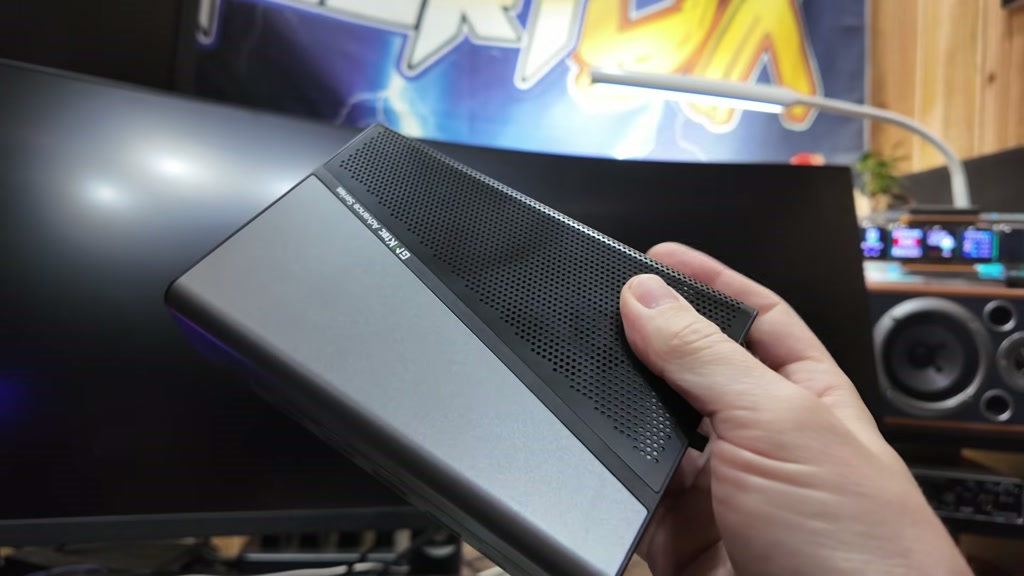
Emulation was a better fit. Batocera booted from our SSD, Wi-Fi worked straight away, Bluetooth paired with our controller, and systems like Sega Model 3, PSP, PS2, Wii U, and PS3-level tests were viable within sensible limits. God of War 2 on PS2 was best around 3x native for 1080p. Push to 1440p and it slows, because even tiny computers have the right to object.
Thermals, noise, and power
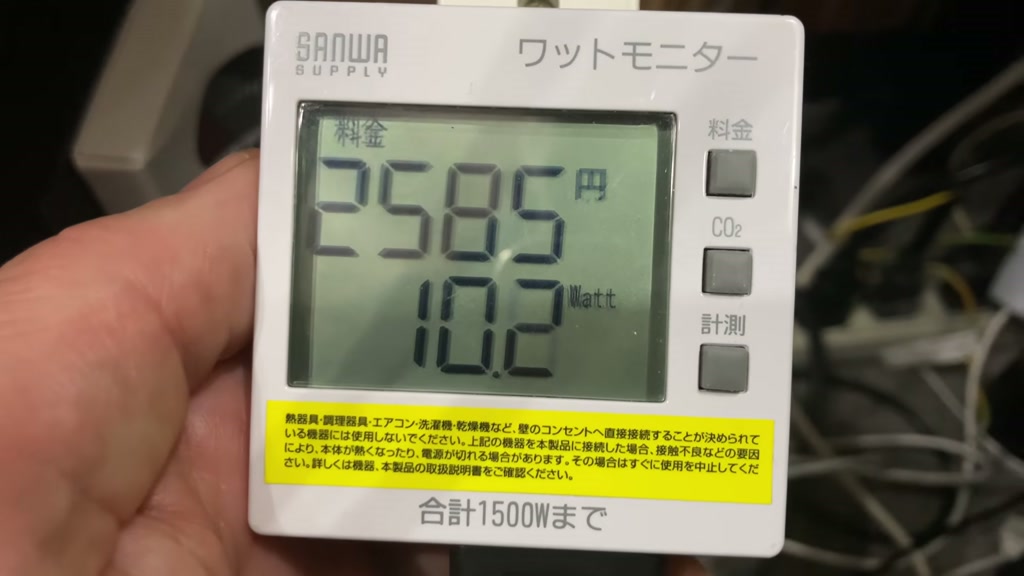
Thermals are good. At idle in balanced mode, the K16 stayed cool, quiet, and pulled just over 10 W from the wall. Under load, temperatures stayed under 70 C, which is genuinely decent.
Noise is the catch. Out of the box, load noise was too high for a mini PC this size. Performance mode mostly raised temps, noise, and power draw, which is the sort of upgrade that feels like paying extra for a louder kettle.
The fix is BIOS tuning. Setting 35 W TDP and lowering the fan behaviour made it much more acceptable. Repasting did not change much in balanced auto mode. The fan curve was the real culprit, sitting there in a tiny high-visibility vest saying it was only following policy.
Alternatives
If you want cheaper general use with OCuLink, the GMKtec M8 still makes sense. If you do not need OCuLink and want better value, the M6 Ultra remains a strong little runner. If you want newer integrated graphics, look at Ryzen 7 7840HS, 8845HS, or newer Ryzen AI mini PCs with Radeon 780M or better.
The K16 makes most sense when its exact feature mix matters: OCuLink, 32 GB included, dual LAN, compact size, and a nicer case. If you only want the fastest iGPU for the money, shop around.
Pros and cons
Pros
- Premium compact case
- Excellent port selection
- OCuLink for eGPU use
- USB4 and dual 2.5 GbE
- 32 GB memory included
- Second NVMe slot
- Good thermals after tuning
- Strong emulation and everyday performance
Cons
- Ryzen 7 7735HS and Radeon 680M are not fresh in 2026
- Soldered RAM cannot be upgraded or repaired
- Noisy default fan behaviour
- Internal access is fiddly
- Installed SSD is PCIe 3.0
- Value depends heavily on current price
Final verdict
The GMKtec K16 is a good mini PC with one very specific argument: premium compact box, excellent ports, and OCuLink. It is quick for daily use, strong for emulation, and flexible if you plan to use an external GPU.
But it is not the newest thing, and it should not be priced like it has just descended from a mountain carrying the tablets of frame rate law. The soldered RAM and noisy defaults matter. So does the fact that newer Radeon iGPUs exist.
Buy it if the port layout and OCuLink are exactly what you want, and if the current price is sensible. Avoid it if you want upgradeable RAM, quiet defaults, or the fastest integrated graphics for the money.
Reader FAQ
Can the GMKtec K16 RAM be upgraded?
No. The 32 GB LPDDR5 memory is soldered to the board. Storage can be expanded, but memory cannot.
Is the GMKtec K16 good for Batocera or Linux?
Yes, our Batocera test booted successfully, with Wi-Fi and Bluetooth working straight away. As always, Linux results can vary by distro and kernel.
Is the K16 quiet?
Not by default under load. It becomes much better after lowering the TDP and fan curve in BIOS.
Is OCuLink worth having?
Yes, if you plan to use an external GPU. Without an eGPU plan, it is a nice extra rather than the main reason to buy.
Is the Radeon 680M still good?
It is still good for light games, older titles, emulation, and sensible settings. It is not the best choice if modern AAA gaming on integrated graphics is your priority.
Where to buy
We may earn a small commission if you buy through our links. It helps keep the lights on, and occasionally the kettle.